How NightPosture works
Connect, calibrate, start a session, and review the night in context.
Detailed steps
Connect and calibrate
Secure the compact chest sensor in a snug shirt pocket, chest strap, or adhesive pouch. A guided setup saves Back, Left, and Right baselines using the same placement you plan to wear overnight.
One-tap reconnect on the Live tab uses the remembered sensor first and scans only when necessary. A readiness checklist verifies connection, battery, calibration, position confirmation, and an optional nudge test before bed.
Track with the phone locked
Start an overnight session, then lock the phone. The sensor keeps a local onboard backup if live Bluetooth pauses and can deliver configured vibration nudges only after Back remains confirmed for a stable period.
Leaving Back resets the timer. When the session ends, NightPosture reconnects and imports the backup. Recovery progress is visible, and genuine gaps are marked as unavailable rather than filled with invented positions.
Review the morning summary
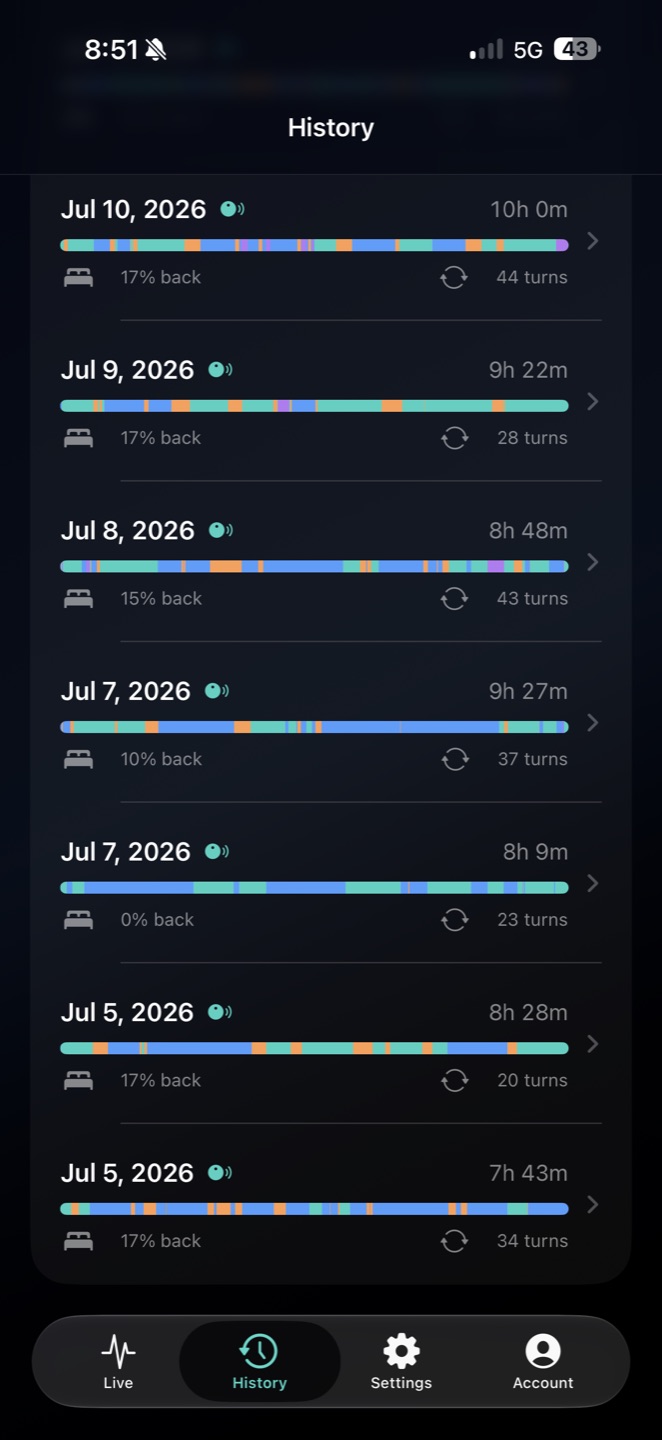
The morning summary leads with tracking quality, then shows a timestamped position timeline, confirmed-time percentages, turns, longest continuous Back period, and any nudges associated with the session. Nudges are grouped by Back episode rather than listed one by one: a single stretch on your back that triggered several nudges reads as one entry, timed from the first, so repeated nudges inside one episode are not counted as separate outcomes.
Unavailable time is separated from sleeping positions and excluded from position percentages. The current sensor does not log motor activations at all, so the app cannot confirm that a vibration physically reached you; recovered nudge times are clearly labeled as estimates, and a nudge that cannot be placed on the position timeline is shown as unplaced rather than quietly dropped. The summary does not report how quickly you turned after a nudge, and does not describe any nudge as successful, because nothing the app can observe would establish either.
Add optional sleep context
With your permission, NightPosture can read available Apple Health context — sleep stages, heart rate, HRV, and respiratory rate — to sit alongside your position summary for local nightly comparisons. NightPosture does not write any of these measurements back to Apple Health.
An experimental Oura connection can optionally bring in daily Sleep, Readiness, and Activity scores for the same local comparison. Every metric keeps its source label, and NightPosture presents associations without claiming that position caused a score or outcome.
Notice trends
A recent-trends view compares Back time, confirmed tracking coverage, and turns across several nights. Open an individual night to see Apple Health or Oura context beside that position summary.
The roadmap explores adaptive intelligence that could personalize nudge timing and surface useful patterns over time. That adaptive capability is a future direction, not a feature of the current beta.
Keep perspective
Sleep position is one signal among many. NightPosture helps you notice patterns — it does not interpret what those patterns mean for your health. Genuine sensor gaps appear as unavailable periods, and while sessions are checkpointed locally, we don't promise that data can never be lost.
If you have concerns about your sleep quality, breathing during sleep, or any other health issue, speak with a qualified medical professional. A wellness app is not a substitute for medical evaluation.
Ready to try it?
We're currently in private beta. Request access to join.